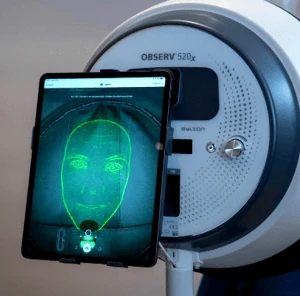
J. Ghost mode
The second clinical visit for a follow -up consultation
Ghost mode: Once your Client has had their first session, the OBSERV saves the clients’ face for the next session, this is called ghost mode, you will see on the clients second session via the clients file, a green face will appear the on screen this is to help create a second set of photos in exactly the same position as the first session to take perfect before and afters, this is the best way to evaluate progress in clients’ skin.
Ghost mode offers:
1. A green overlay to replicate the previous positioning.2. Perfect aligned, standardised pictures.